9Xtream IPTV Instructions for Your Specific Device
Instructions for 9Xtream IPTV
9Xtream IPTV is a relatively new app that is available for several different devices. It’s easy to get started, as you only need to enter your login details directly in the app. This means you don’t have to upload your playlist via their website, as is the case with many other apps.
The app allows you to upload your channels in the following ways:
M3U link
Xtream Codes Playlist (login credentials)
MAG/Stalker Portal
We recommend uploading your IPTV playlist using Xtream Codes (i.e., with the login details you receive from us upon purchase or free trial). This ensures that your EPG (Electronic Program Guide) is installed automatically in the background.
If you choose the M3U link method, you will need to manually enter your EPG link, which we provide.
Step 1
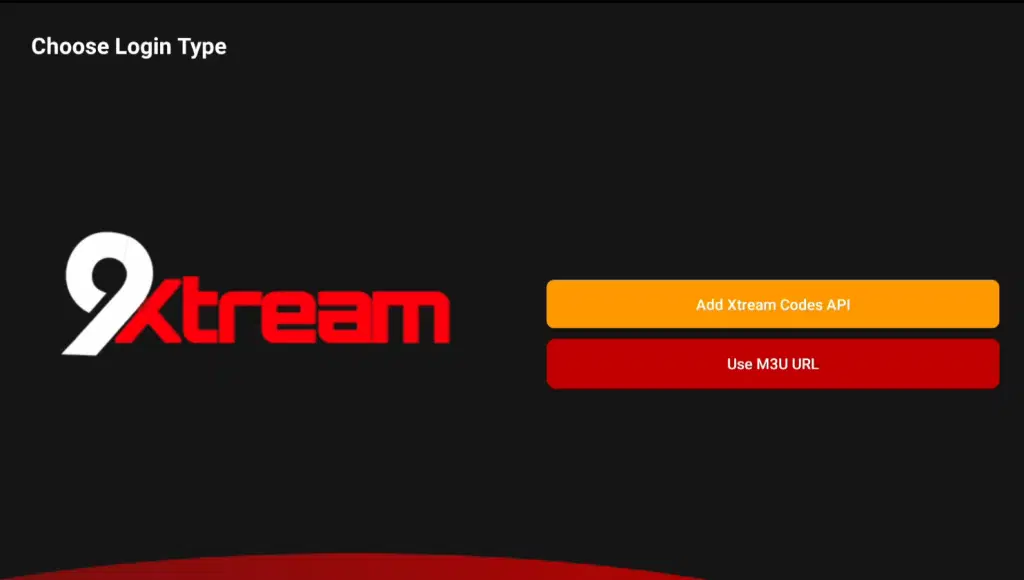
Then press ‘Add Xtream Codes API’. Next, enter the login details you received from us. Then press ‘Save’ or ‘Next
Step 2
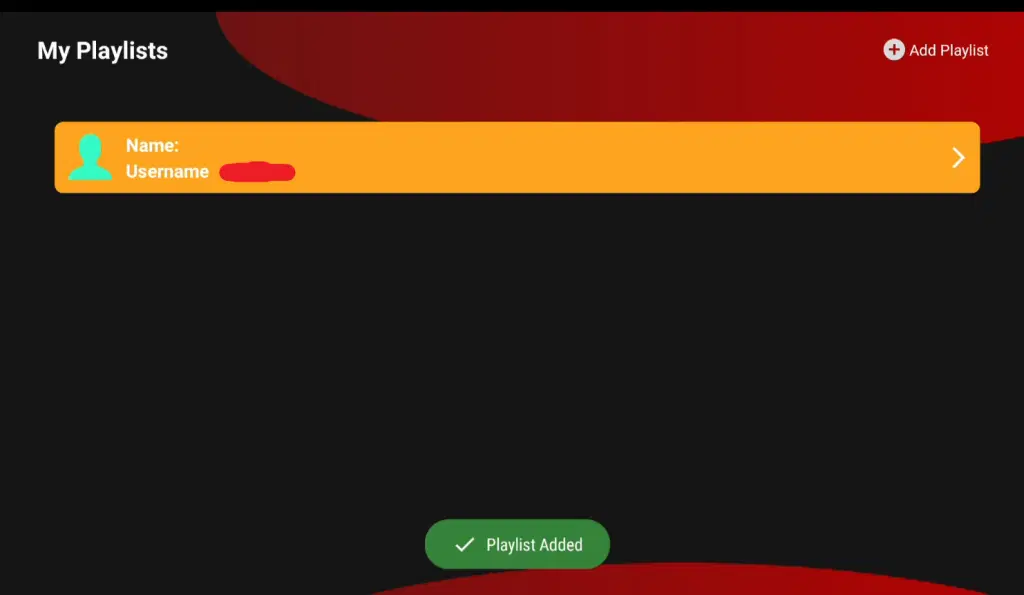
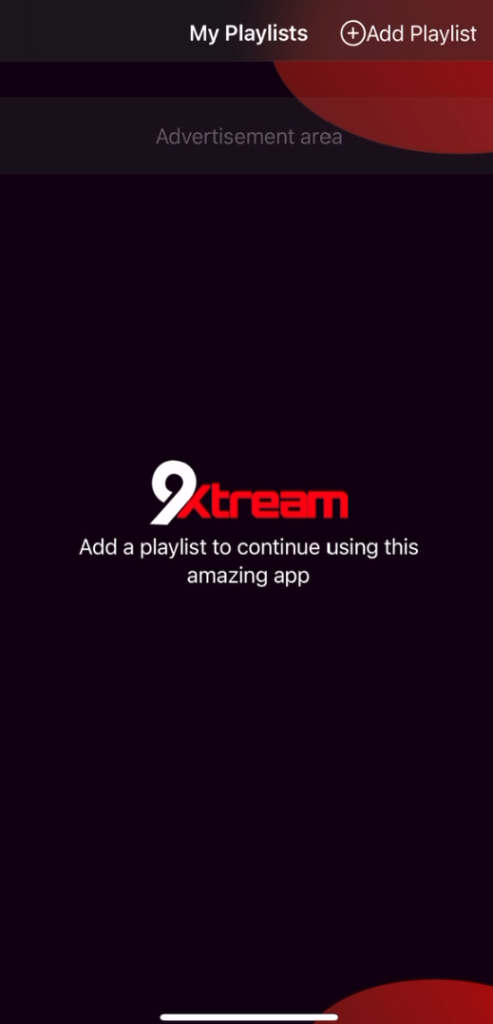
Open the app and press ‘Add Playlist’ in the top right corner.
Step 3
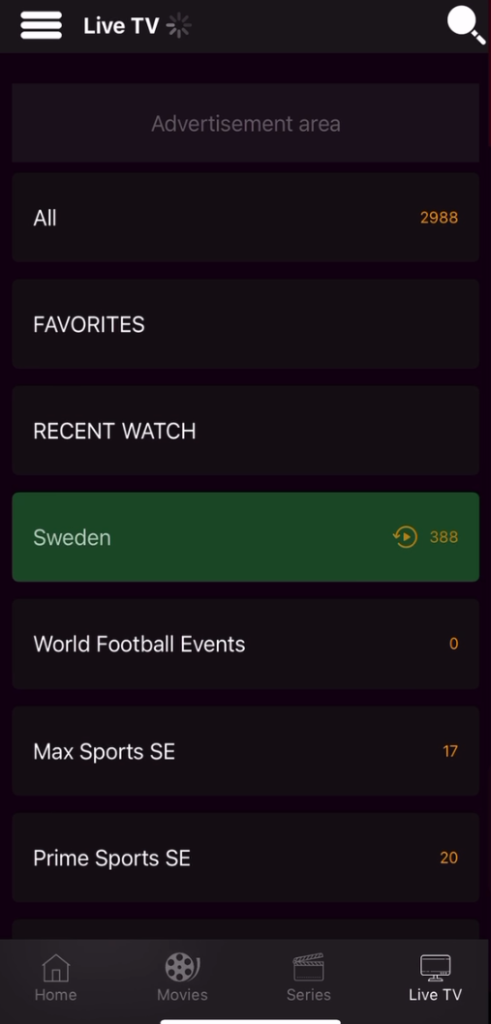
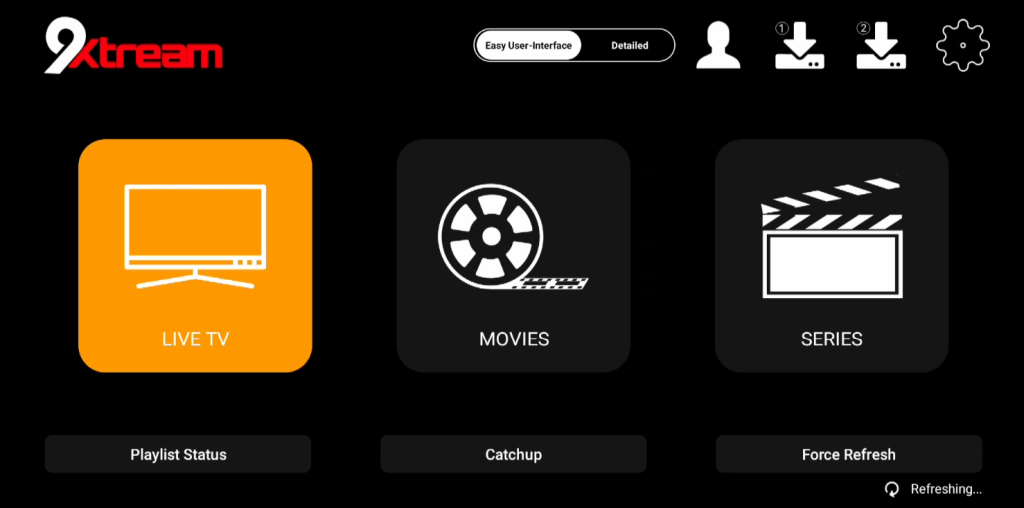
Now, for example, press ‘Live TV’ if you want to see all the channels. Done! 🙂
Where can I download the app?
The app can be downloaded from the Play Store or from the ‘store’ on your TV. APK files are also available for download, but we do not recommend using these as many may contain viruses. However, the APK file from 9Xtream IPTV’s official website is safe to download.
Which devices can I use?
Smart TV
9Xtream IPTV with a Smart TV is a great combination when you’re just getting started with IPTV. The app works excellently on Smart TVs from LG as well as other brands like Samsung, Sony, Philips, and more. Since you can install 9Xtream IPTV and many other apps on your Smart TV, an LG Smart TV is a good choice for watching TV. However, we always recommend removing unnecessary apps you don’t use and having a somewhat newer model, as many IPTV playlists today are very large and contain hundreds of thousands of titles, including channels, movies, series, documentaries, and more.
9Xtream IPTV is a powerful app that gives Smart TV users access to a wide range of IPTV channels, movies, and series. The app is easy to install and offers a smooth user experience with fast navigation and high-quality streaming. With support for various formats and resolutions, you can enjoy your favorite content in HD or 4K, depending on your internet connection. Additionally, the app offers an EPG (Electronic Program Guide) for easy channel management and scheduling. 9Xtream IPTV is an excellent choice for anyone looking to maximize their TV entertainment with extensive and varied content. Although the app works well on your device, we recommend using a more advanced app, such as Tivimate, for an even better experience
Specifications for 9Xtream IPTV
- App: Extreme IPTV Pro
- Installation time: Approx. 7 minutes
- Wi-Fi/Cable: Supports both
- Cost: 29 SEK
- Free trial offered: Yes
Mobile
“GSE Smart IPTV PRO on mobile is a fast and convenient solution for anyone who wants to get started quickly. IPTV on your mobile via the app is an easy way to watch TV while on the go. For iPhone, the app IPTVX is recommended, and for Android-based mobiles, the IPTV Player app is recommended.
Tablet
GSE Smart IPTV PRO on a tablet is a fast and convenient solution for anyone who wants to get started quickly on their iPad or Android-based tablet. IPTV on the tablet via the app is an easy way to watch TV while on the go. If you have an iOS device (iPad), the IPTVX app is recommended, and for Android-based tablets, the IPTV Player app is recommended
9Xtream IPTV – Instructions
Step 1
Press ‘Add Xtream Codes API’ and enter the login details you received from us. Then click ‘Save’ or ‘Next’.
Step 2
“Open the app on your device. Once the app is open, go to the top right corner. There you will see the option ‘Add Playlist’. Press this to start adding your playlist.
Step 3
Press ‘Live TV’ if you want to see all the channels. Then select a channel from the list. Once you have chosen a channel, playback will start immediately. Done! 🙂
Nvidia Shield
9Xtream IPTV on Nvidia Shield is a good solution, but there are also better alternatives to get started. The app is designed to work best with Android-based systems.
9Xtream IPTV is an excellent app for Nvidia Shield, offering high-quality IPTV streaming with a wide selection of TV channels, movies, and series. The app is optimized to take full advantage of Nvidia Shield’s powerful hardware, providing a smooth and fast user experience. With support for HD and 4K resolution, you get crystal-clear picture quality and seamless playback, making it ideal for entertainment on large screens. Features like EPG (Electronic Program Guide) and easy navigation make it simple to manage and browse channels. 9Xtream IPTV on Nvidia Shield is an excellent choice for a premium IPTV experience.
Android Box
9Xtream IPTV on Android Box works quite well to get started. The app is designed to work best with Android-based systems.
9Xtream IPTV is an efficient app for Android Box that gives users access to a wide range of IPTV channels, movies, and series. The app is optimized for Android devices and provides a smooth and stable high-quality streaming experience. With features such as support for various video formats and resolutions, including HD and 4K, you can easily enjoy your favorite programs without interruptions. The app also has a user-friendly interface and supports EPG (Electronic Program Guide) to make channel browsing and scheduling easier. 9Xtream IPTV is a perfect choice for maximizing your entertainment on Android Box.
However, even though the app works well on your device, it is recommended to use a better app, such as Tivimate, as it offers a superior interface and more stable servers.
Xiaomi Mi
9Xtream IPTV on Xiaomi Mi S Box or Xiaomi Mi Stick is unfortunately not the best choice for IPTV viewing compared to, for example, Apple TV. This is because the processors in both devices are not as powerful. It is, of course, possible to use Xiaomi Mi devices for IPTV, and the experience can still be good. However, if you are looking for a more stable and smooth solution, these devices are not recommended.
Formuler Box
9Xtream IPTV on Formuler Box works fairly well, but the Formuler Box is a somewhat unique Android device because it has its own IPTV app, MyTVOnline. The MyTVOnline apps offer a significantly better experience than 9Xtream, and therefore we recommend using them instead of 9Xtream IPTV.
IPTV Expert - Instruktioner
Step 1
Open the app and go to the top right corner.
Press ‘Add Playlist’ to add your playlist.
Follow the instructions to complete the installation.
Step 2
Press ‘Add Xtream Codes API’ and enter your login details from us.
Click ‘Save’ or ‘Next’ to save.

Step 3
Tap your new playlist and then select ‘Login’.
Enter your login details.
Done! You are now ready to start watching!

Step 4
Done!
Everything is now set up, and you can start watching your favorite channels.
Enjoy your IPTV experience!